freqlab
Create audio plugins with conversation
Something huge is coming.
Be the first to know.
What is freqlab?
Audio plugin creation engine for macOS
Unlike exploitative gen AI tools that try to replace your creative workflow, freqlab assists it.
Describe what you want, and watch it build real VST/CLAP plugins you can use in any DAW.
For producers and sound designers who've always dreamed of creating unique plugins for their art.
No coding required but it's encouraged!
How it works
From idea to working plugin in minutes
See it in action
Explore the interface
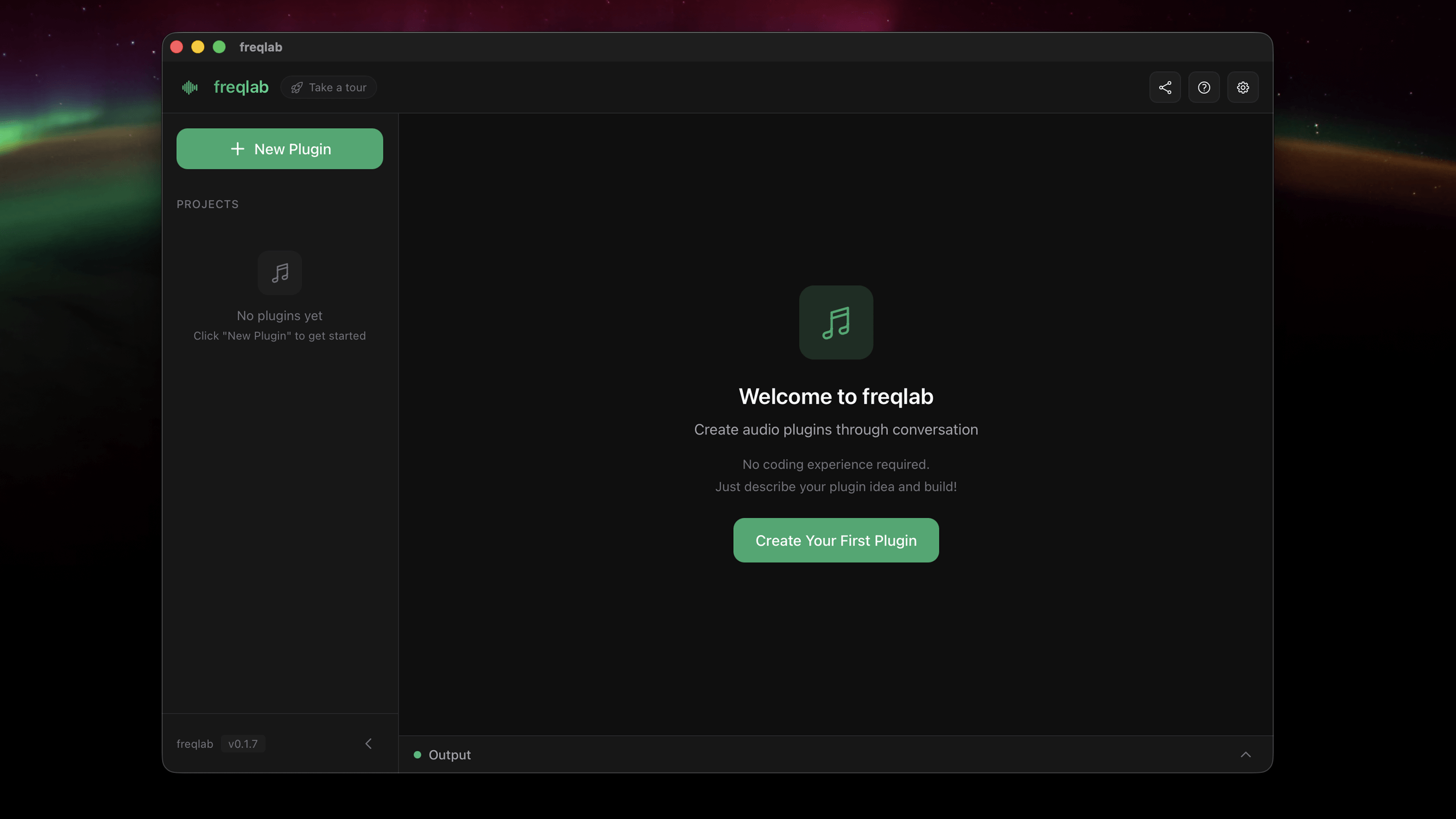
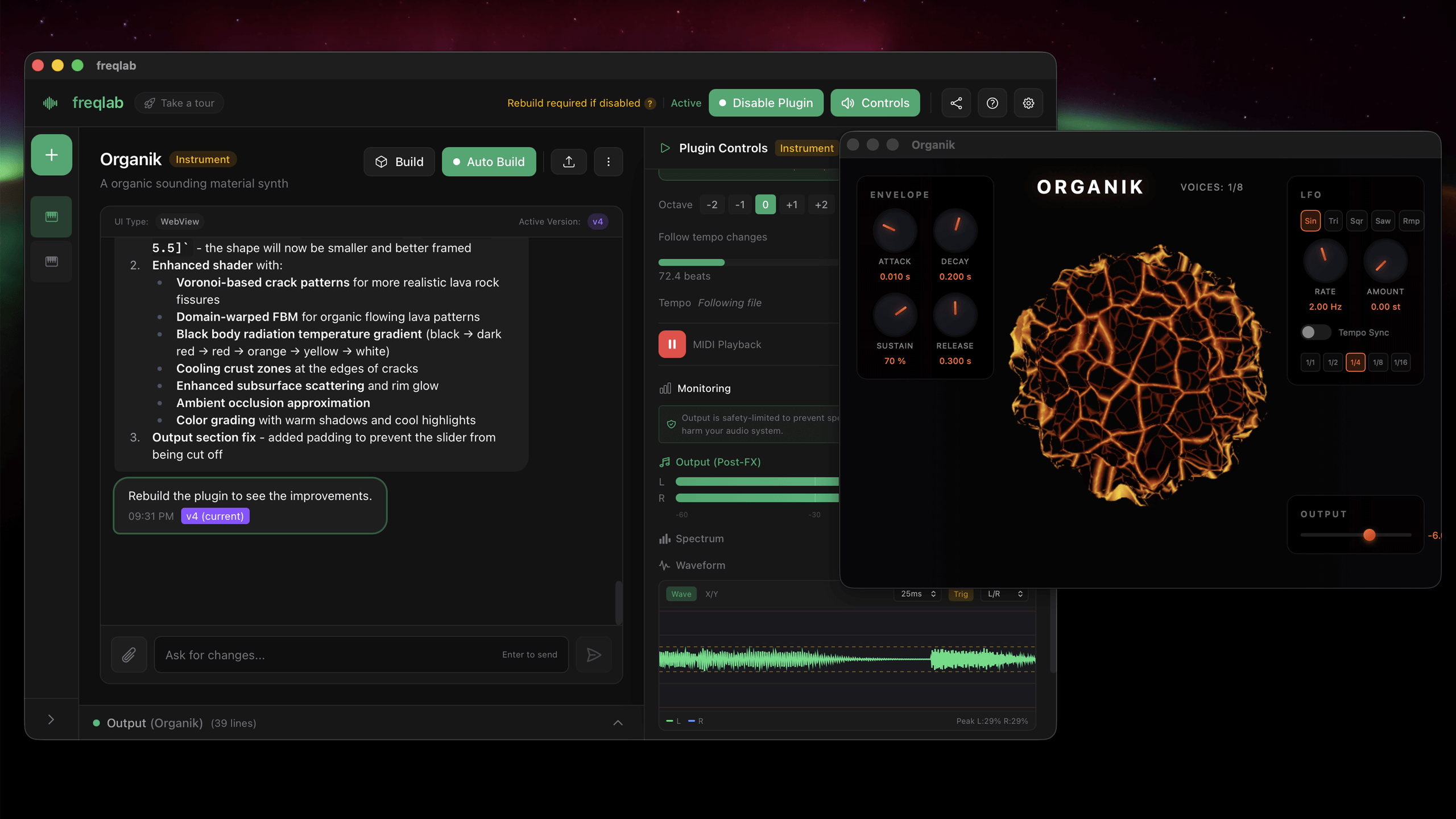
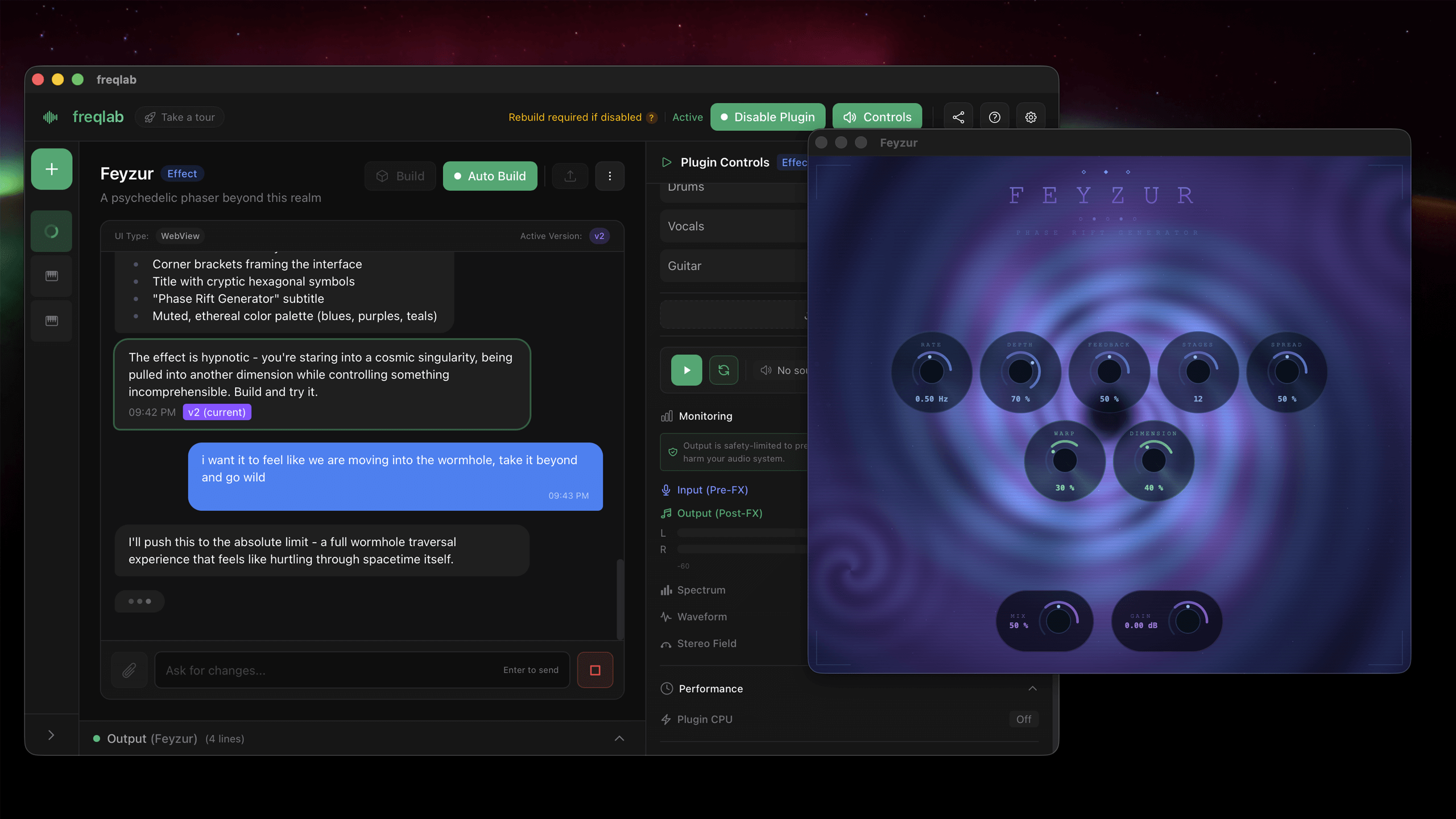
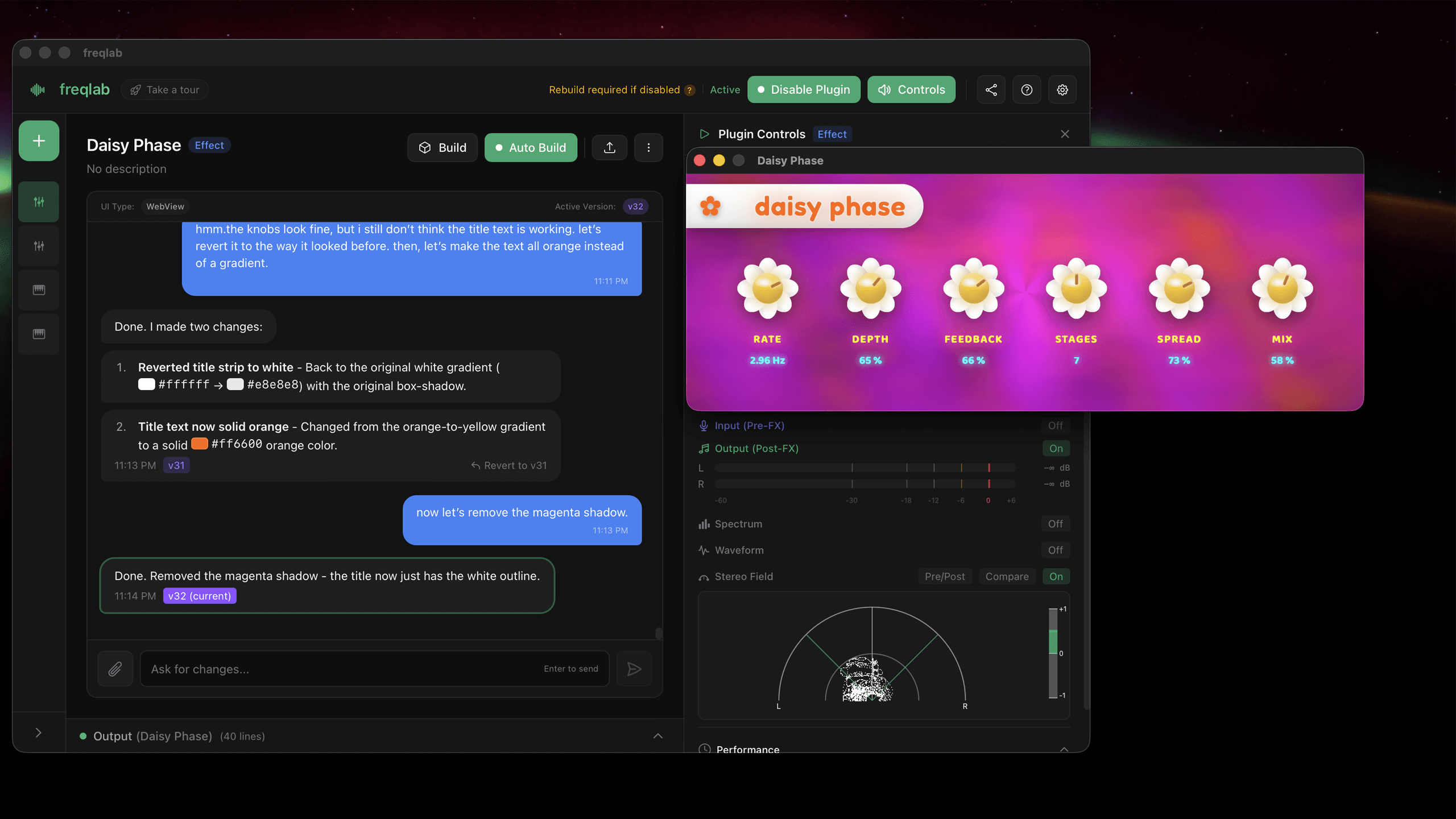
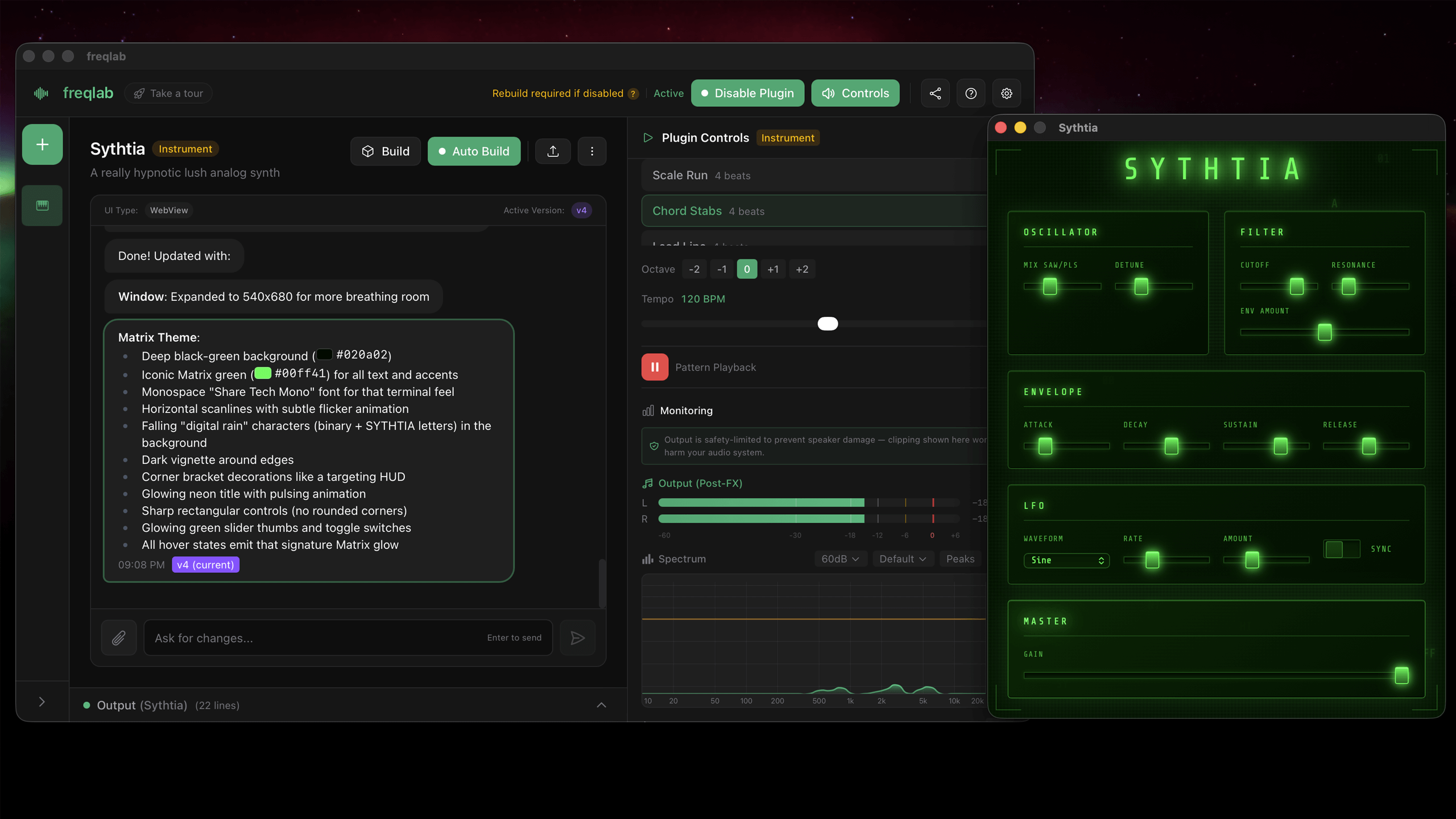
Everything you need
From first idea to finished plugin
Start From
Choose your starting point
Audio Effects
EQ, compression, reverb, delay, saturation - anything that processes sound.
Instruments
Synths, samplers, drum machines - anything that creates sound.
Create
Describe your ideas, watch them come to life
Watch It Happen
See your plugin take shape in real-time as you describe what you want.
Undo Anytime
Changed your mind? Go back to any previous version instantly.
Remembers Your Project
Pick up where you left off. Your assistant knows your plugin inside and out.
Share References
Drop in audio files, screenshots, or notes to guide the direction.
Listen and Refine
Hear your creation immediately
Instant Updates
Hear changes the moment they're made. No waiting around.
Plugin Interface
See and use your plugin's actual controls while testing.
MIDI Ready
On-screen keyboard, pattern sequencer, MIDI files, or your hardware controller.
Live Input
Route audio from your interface to test effects in real-time.
Your Audio Files
Load your own music or samples to hear the real results.
Built-in Analyzers
Spectrum, waveform, meters, stereo field, and CPU monitoring — everything you need to see what's happening.
Build & Share
From code to working plugin
Send to DAW
Copy directly to your music software's plugin folder.
One-Click Build
Compile your plugin into VST3 and CLAP formats with a single click.
Share Projects
Export and import full projects to collaborate or continue where others left off.
Version History
Every change creates a new version you can go back to anytime.
Before you start
A few things you'll need
- macOS 12 (Monterey) or newer Required for the app to run
- Some developer tools Xcode Command Line Tools and Rust
- Claude Pro or Max subscription Max recommended for more tokens and multi-plugin projects
Get freqlab
Pay what you want
freqlab is open source. Build it yourself or grab a release for free.
View on GitHubGood to know
A few things before you get started
First time opening a plugin
Your Mac might block plugins the first time. freqlab shows you how to allow them when this happens.
AI-generated code
Plugins include safety limits by default. If you're sharing your creations, give them a once-over first.
Open source
freqlab is free to use and modify. You own everything you create with it.